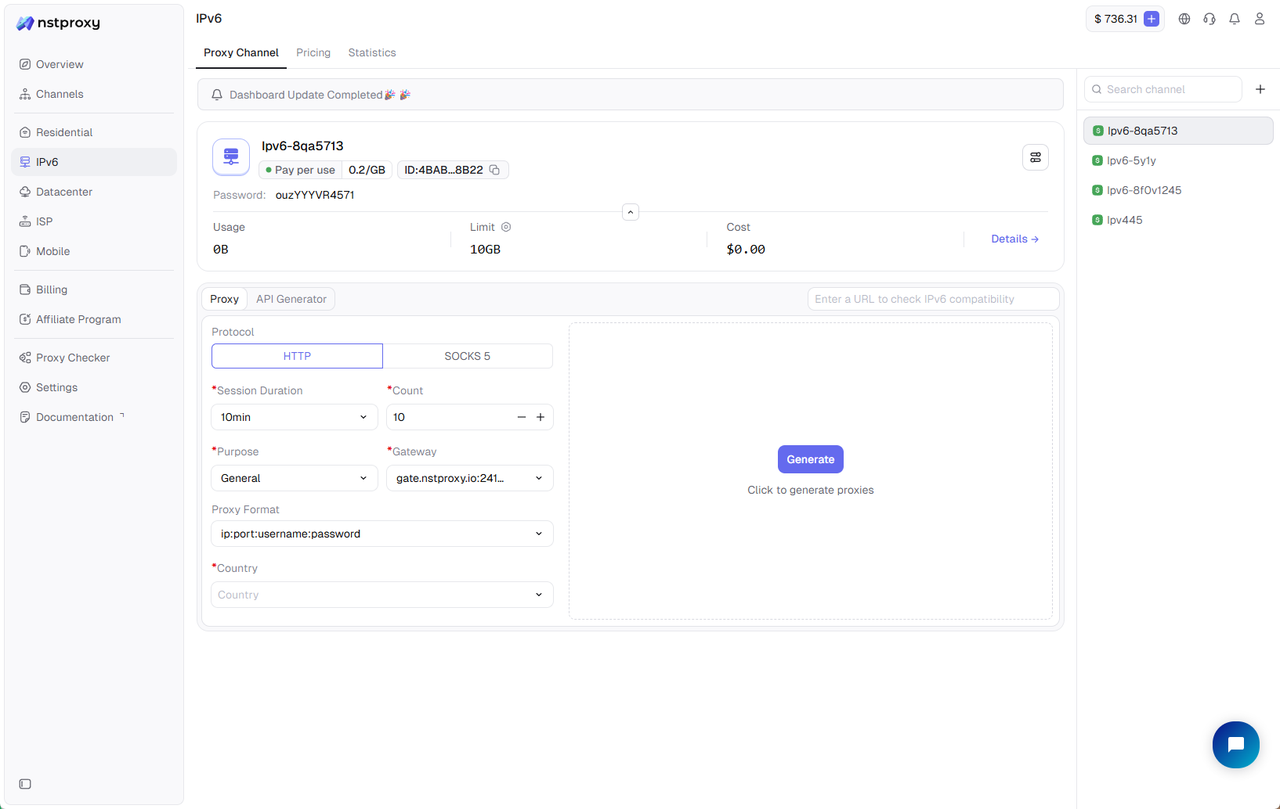
Generate Proxies
After creating a Channel, you can generate proxies and start using them.
Steps
- Open the Channel details page
- Enable Proxy Generation
- Configure proxy parameters and click Generate to obtain the Proxy URL
- Apply the proxy configuration to browsers, programs, or automation tools
All traffic consumption is automatically recorded under the corresponding Channel.